Download videos and images from Pinterest

What is PintSave?

PintSave is a browser-based Pinterest media saver for public pins. Paste a direct Pinterest pin link and the tool checks whether video, image, or GIF media is available for that specific pin. Availability depends on what Pinterest provides for the public page, and not every pin includes a downloadable file. PintSave does not access private pins, login-only content, restricted boards, or protected media. Use saved files only for personal, permitted, or authorized purposes and respect creator rights.

What PintSave Can and Cannot Do

PintSave is designed to help with public Pinterest media only when a file is available. These limits keep the tool clear, safe, and respectful of creators.

PintSave can help you

  • Check public Pinterest pin links for available videos, images, or GIFs.
  • Save media in the quality Pinterest makes available for that specific pin.
  • Use the tool in a browser on phone, tablet, or desktop without installing software.

PintSave cannot help you

  • Access private pins, deleted pins, login-only content, or restricted boards.
  • Bypass security, paywalls, DRM, account restrictions, or platform protections.
  • Grant permission to reuse, repost, edit, or commercialize content you do not own.

How to Use PintSave Responsibly

Use PintSave as a helper for lawful, personal, or authorized saving. A public link does not automatically mean the media is free to reuse.

01

Start with a public pin link

Copy the direct link to the specific Pinterest pin, not a board, profile, feed, or private page.

02

Check what is available

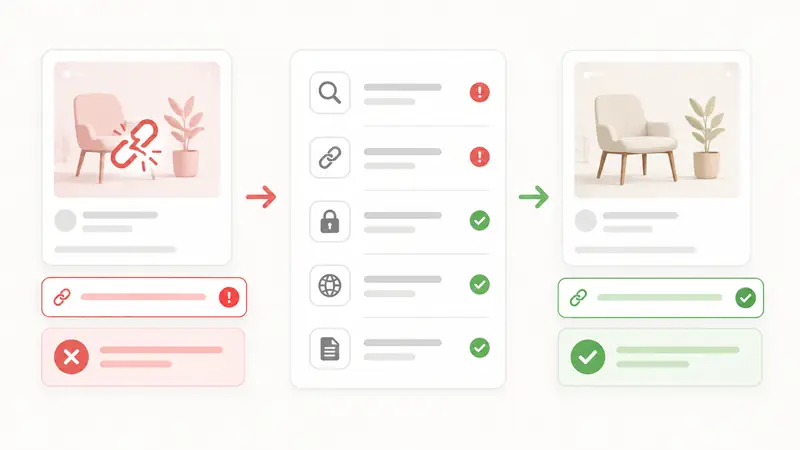
PintSave can only show media that is available for that public pin. Some pins may not include a downloadable file.

03

Download only when permitted

Save files for personal, permitted, or authorized use. Do not use the tool to avoid creator rights or platform rules.

04

Respect creators and sources

Before sharing, editing, reposting, or using media in a project, check the original source and get permission when needed.

How to use the Pinterest Video Downloader?

1
Copy

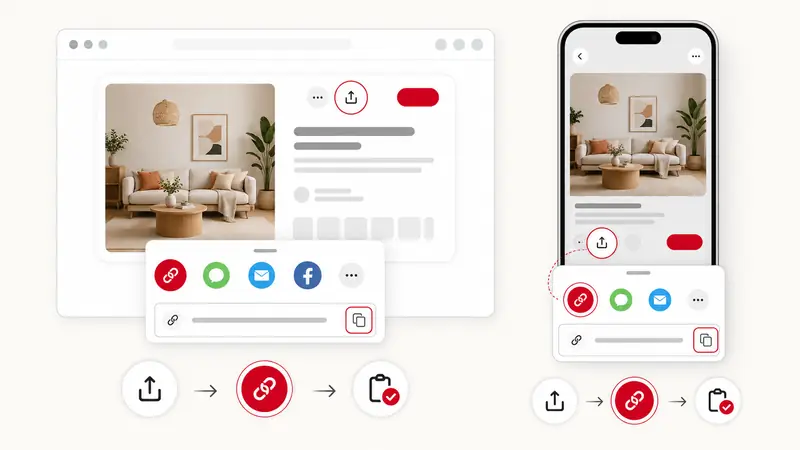
On Pinterest, copy the Pin URL by clicking Share and choosing Copy Link or Copy Video URL.

2
Paste

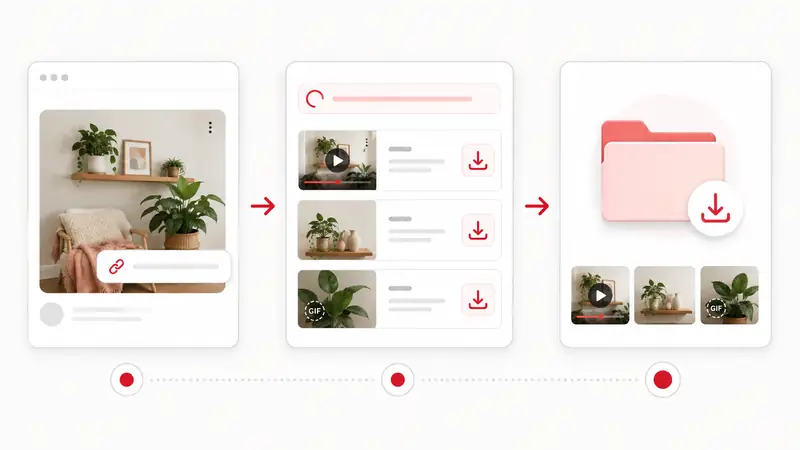
Paste the Pinterest video or image URL in the input box above and click the Download button.

3
Download

Click the Download button and save the media file to your device in original HD quality.

Rights and trust

Copyright and Creator Rights

Pinterest media may be protected by copyright, trademark, privacy rights, or platform terms. A public pin does not automatically give permission to reuse, repost, edit, or commercialize the file. You are responsible for checking the original source and using media only when you have the right to do so.

Learn more

Latest Pinterest Guides

All guides

Frequently Asked Questions

How to use the Pinterest Video Downloader?
Our Pinterest Video Downloader makes saving pins easy. Just copy the URL of the Pin (video, image, or GIF), paste it into the input box on PintSave, and click the "Download" button. You can then save the media directly to your device.
Can PintSave remove watermarks or rights notices?
No. PintSave does not remove watermarks, rights notices, creator attribution, or platform protections. It only checks public Pinterest pins and shows media that is available for that specific public pin.
Is this Pinterest Downloader free to use?
Yes, PintSave is free to use in a browser and does not require registration. Reasonable rate limits may apply to keep the service stable and prevent automated abuse.
Can I download images and GIFs from Pinterest?
PintSave can help with videos, images, and GIFs when those files are available from a public Pinterest pin. Some pins, private content, deleted posts, or unsupported formats may not provide downloadable media.
Does it work on mobile phones?
Yes, PintSave is compatible with all devices. You can use our Pinterest video downloader on your Android, iPhone (iOS), tablet, or desktop computer. The website is mobile-friendly and works smoothly on Chrome, Safari, and other browsers.
Where are the files saved?
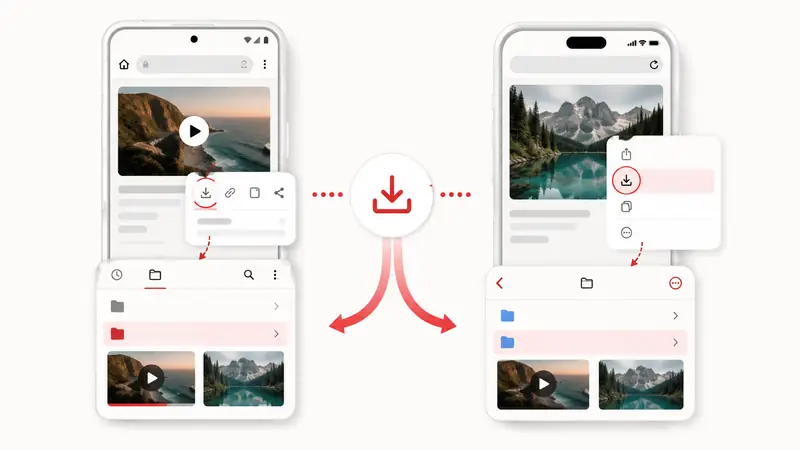
When you download a file, it is usually saved to your device's default "Downloads" folder. On mobile devices, you can find downloaded files in your "Files" app or Gallery, depending on your settings.
What is PintSave.net?
PintSave.net is an online utility that enables downloading media from public Pinterest posts. When you provide a Pinterest Pin URL, our system retrieves the media files and makes them available for download. We function as a bridge between you and the content—we don't save, host, or keep copies of any media. PintSave works with Pinterest videos, images, GIFs, and Idea Pins. Disclaimer: PintSave is independent and not associated with Pinterest or any related companies.
What quality is the downloaded content?
The available file quality depends on what Pinterest provides for the specific public pin. PintSave cannot improve resolution, guarantee HD or 4K, or create a file that is not available from the source page.
What data do you collect and store?
We keep data collection to an absolute minimum and don't store any of your content. What we don't track: Your name, email, or any personal details. Pinterest account information. The specific URLs you paste. What you download. We don't save, cache, or keep any media files on our servers. What we might gather: General website statistics (like page views) through analytics tools. Non-identifying technical data such as browser type. We take privacy seriously and use standard web security practices.
Is it legal to use PintSave.net?
The legality depends on how you use it. You're responsible for following all relevant laws, including copyright rules, Pinterest's terms of service, and regulations in your country. You must have the right to download any content you access—this means getting permission from the creator, understanding fair use laws, and respecting intellectual property. PintSave is intended for individual, personal use only. Commercial usage is not allowed. Violating Pinterest's terms could get your Pinterest account suspended. We don't support copyright violations, and users who violate laws assume all legal risks.
What are the limitations?
PintSave has the following limitations: We can't access Pins that require login or are private. We can't bypass Pinterest's security or authentication. We can't promise every Pin will work, especially if Pinterest updates their systems. We don't provide help with Pinterest account problems. We can't improve video or image quality beyond the original. We can't provide legal advice or guarantee the service will always be available. Social media platforms frequently update their code, which may temporarily affect our tool until we update it.
How can I contact support?
Send us an email with your question or issue. We aim to respond within 1-2 days for general inquiries, 2-3 days for technical problems, and 3-5 business days for legal matters. Contact us for: Technical problems with PintSave itself, questions about our privacy practices, copyright-related concerns, or questions about our terms of service. Don't contact us about: Issues with your Pinterest account, Pins that break Pinterest's rules, general how-to questions about using Pinterest, or requests for legal guidance. Before emailing, please read through this FAQ section and review our Terms and Privacy Policy pages.